Rated 4.9/5 by hundreds of happy customers.

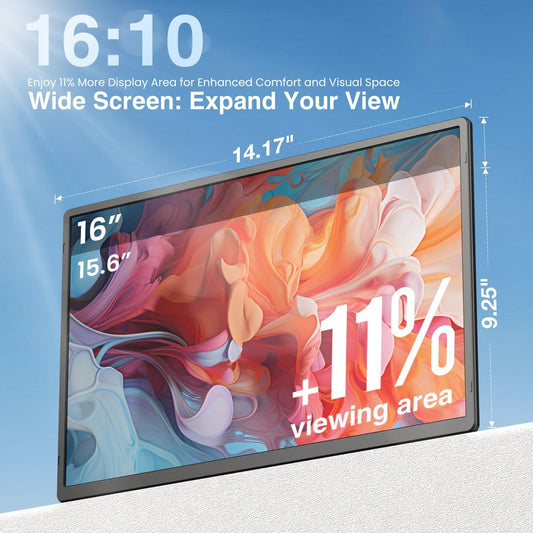
Kwumsy P7PRO 15.6" Laptop schermverlenger met drie schermen

$299.99
{price}% OFF
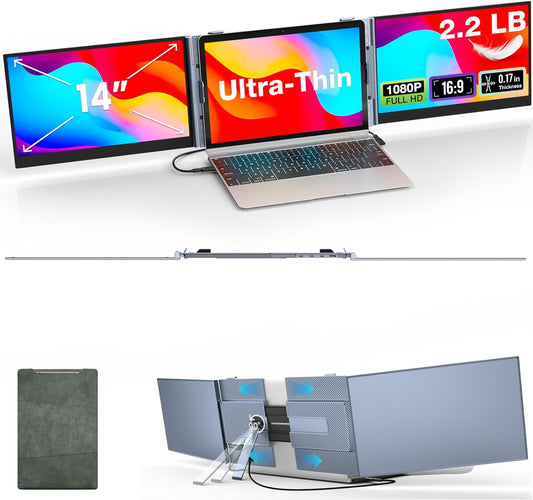
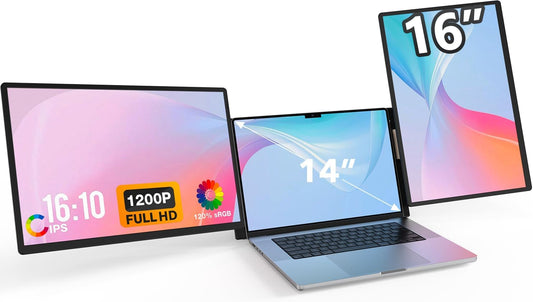
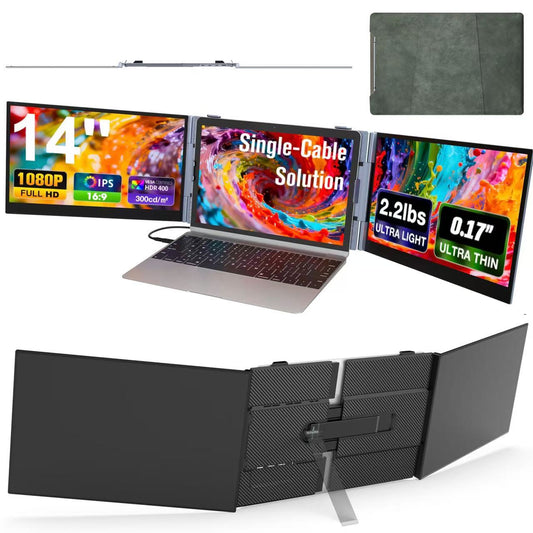
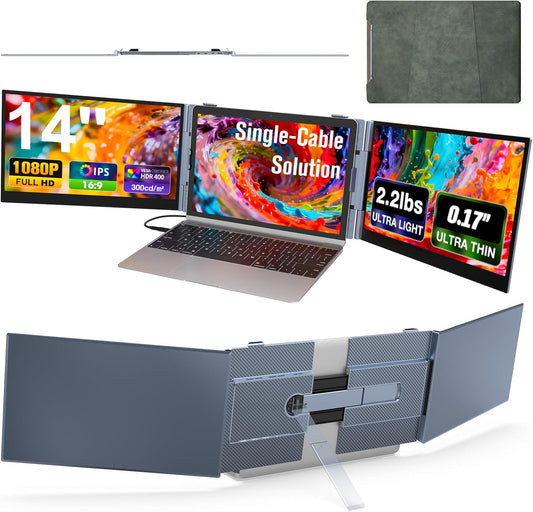
  • One Cable, Two Screens – One USB‑C cable drives both displays

  • Open‑Desk Design – Fits any laptop, no clamp needed

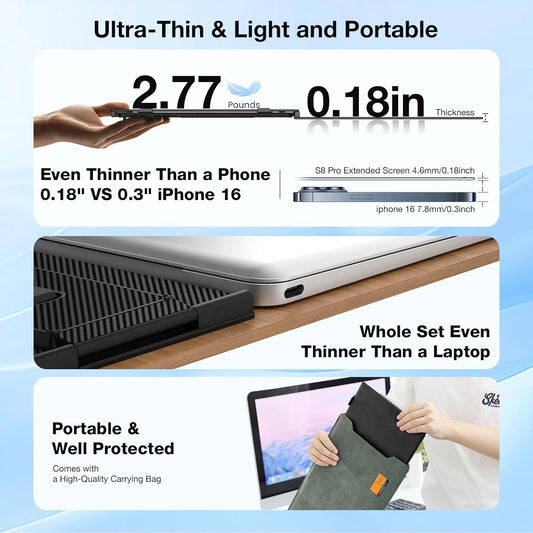
  • Ultra‑Slim & Portable – 5.3mm per screen, 4 lbs total

  • Flexible angles – Screens tilt 0–180°, small bracket 0–90°, stable triangular stand

  • Aerospace‑grade aluminum – CNC‑machined, matte finish, fingerprint‑resistant

Kwumsy P7PRO 15.6" Laptop schermverlenger met drie schermen
🚀 Global Shipping:US/EU/CN
 US/EU Friendly:Shipped from US/EU. No Taxes, No Duties, No Long Waits!
trush2s
Cart Trust Badge
20231221141215
20231221140751
gadgeteer_logo_2013-230x71
20231220155958
ac6f22c4-099a-4eec-a300-c18d160c1dec_377b8b9b-94b0-4f6d-a1a4-69552b2dae75

Stunning Display, True-to-Life Colors

P7-Pro-_A__02

One Cable, Two Screens. A Cleaner Desk.

P7-Pro-_A__03

Only 5.3mm Thin, 4 lbs Light. 
Take It Anywhere.

P7-Pro-_A__04

Fits Any Laptop – 13″ to 17″,
No Clamp Required.

P7-Pro-_A__05

0‑180° + 0‑90° Adjustable – Find Your Angle

P7-Pro-_A__06

Aerospace‑Grade Aluminum – Premium Feel

P7-Pro-_A__07

Full‑Featured USB‑C (One Cable) / USB‑A + External Power

P7-Pro-_A__08
P7-Pro-_A__09

Open. Connect. Create. 

P7-Pro-_A__10

Frequently  Asked Questions

Q1:Can the P7 bracket width be adjusted?

Yes. The rear bracket of the P7 is adjustable and can be extended from 35 cm to 40 cm (approx. 13.8–15.7 inches). This is mainly to help you adjust the screen position for better viewing, not to fit a specific laptop size. P7 uses an open‑desk design – simply place your laptop between the two screens, no matter how big or small it is. There‘s no size restriction.

Q2: How do I connect the P7 to my laptop?

  • Laptop with two full‑featured USB‑C ports – Use 2 × USB‑C to USB‑C cables, connecting to the P7‘s TYPE‑C1 and TYPE‑C2 ports.
  • Laptop with one full‑featured USB‑C port + one HDMI port – Use 1 × USB‑C to USB‑C cable + 1 × USB‑C to HDMI cable.
  • Laptop with no full‑featured USB‑C port (HDMI + standard USB‑A/C only) – Use 1 × USB‑C to HDMI cable + H5‑T adapter (sold separately, contact service@kwumsy.com) + external power.
No matter which setup you have, P7 will work reliably – just plug and play.

Q3: How much does the P7 weigh? How thick is it? What material is it made of?

The P7 weighs approximately 1.82 kg (about 4 lbs). Each screen is only 5.3 mm (approx. 0.21 inches) thick, and when folded, the thinnest part measures just 15.6 mm – easy to pack and carry.
The P7 is built with aerospace‑grade aluminum alloy, CNC‑machined with a matte finish. It resists fingerprints and scratches, offering a premium, durable feel.

Q4: What‘s the difference between the P7 and the S8 Pro? How do I choose?

These two products are designed for different scenarios.
  • The P7 is a desktop dual‑screen extender. It features two 15.6″ screens, with a single‑screen thickness of 5.3mm and a total weight of about 1.82kg. It uses an open‑desk design with no laptop size restrictions, making it ideal for fixed office work at home or in the office.
  • The S8 Pro is a portable dual‑screen extender (clip‑on design). It features two 14″ screens, with a single‑screen thickness of 4.5mm and a total weight of about 1.02kg. It clips onto your laptop screen lid, so it requires specific laptop dimensions (lid thickness ≤7mm, compatible width). It‘s better suited for frequent travelers or those who work on the go.
In short:
If you mainly work at a fixed desk and want larger screens, choose the P7
If you travel often or work in coffee shops and need something ultra‑portable, choose the S8 Pro
Q5: Which operating systems does the P7 support? How do I know if it‘s compatible with my computer?
  1. The P7 supports Windows, macOS, Android, Linux, and Chrome OS – most devices work plug‑and‑play.
  2. To check compatibility, all you need is a video‑output capable port on your computer:
  3. Check your port type – full‑featured USB‑C, Thunderbolt 3/4, HDMI, or DisplayPort all work.
Most users can use it right away without any driver. If you run into any trouble, just contact us – we‘re happy to help.

Q6: When do I need external power for the P7?
The P7 supports external power via its PD port (power bank or wall charger). Regardless of which connection option you use, the P7 draws power from your laptop. External power is recommended in the following situations:
  • Your laptop battery is low, and you want to charge it back through the P7
  • You want to reduce your laptop‘s battery drain
  • You plan to use the P7 for extended periods
  • Your laptop’s USB‑C port has limited power output
  • You want the screens to always stay at full brightness (when powered only by a laptop, low laptop battery will cause the screen brightness to drop automatically)
How to connect external power: Plug your power adapter (or power bank) into the P7‘s PD port. Once connected, the P7 will prioritize external power – keeping the screens at full brightness, reducing the load on your laptop‘s battery, and even charging your laptop when its battery is low.
For the best experience (maximum brightness + charging your laptop at the same time), external power is recommended.